EngageBay CRM Review: Is It Worth Paying For? (Compared to HubSpot, Zoho CRM, Freshsales, Keap & ActiveCampaign)
Disclosure: this review contains affiliate links. If you sign up through them we may earn a commission, at no extra cost to you — see our full disclosure. We only recommend tools we've genuinely evaluated.
The problem: your contact list lives in four different tools, and none of them agree on what happened last
Here’s a familiar shape for a small B2B team: leads come in through a landing page tool, get emailed through a separate marketing platform, get worked by sales in a spreadsheet or a barebones CRM, and when they need help post-sale, that goes to a shared inbox nobody else can see the history of. Each piece does its one job fine. The trouble starts the moment someone needs the full picture — a salesperson trying to close a deal without knowing the prospect already emailed support twice with a complaint, or a marketer sending a “still interested?” nurture email to someone who signed a contract two days ago because the marketing tool has no idea sales closed them.
That’s the specific gap this category of software is built to close: one system where a contact’s marketing history, sales stage, and support tickets all live in the same record, instead of four systems that each know a quarter of the story. The tools below all chase that same goal, but they start from different price points and bundle the pieces differently — some genuinely fold marketing, sales, and support into one base price, others sell CRM as an add-on bolted onto an email tool, and one skips tiers entirely in favor of a single higher-priced all-inclusive plan. Picking the wrong starting point here is how a five-person team ends up paying for three separate subscriptions that each do a third of the job, or signs up for an all-in-one platform priced for a team five times their size.
I helped a friend’s six-person consulting shop untangle exactly this a while back. They were running HubSpot’s free CRM for contacts, a separate email tool for their monthly newsletter, and a shared Gmail inbox for client support questions — three logins, three places a contact’s information could go stale, and a recurring problem where a client would email a question that support answered, then get a generic marketing email two days later that ignored the conversation entirely. Consolidating into one platform where the support ticket, the deal stage, and the email history sat on the same contact record didn’t just save logins — it fixed a real client-facing embarrassment that had happened more than once. That’s the workflow problem worth solving before comparing feature checklists line by line.
Three things that actually matter when you’re choosing
1. Whether marketing, sales, and support are genuinely bundled, or whether one of them is an add-on. This is the single biggest structural difference in this comparison. EngageBay, Zoho CRM, Freshsales, and Keap all build CRM and pipeline tracking into their core plans from the entry tier up. ActiveCampaign is the clear exception here: its cheapest Starter plan is email and automation only, and Pipelines — its CRM and deal-tracking layer — is sold as a separate add-on across every tier rather than included. HubSpot splits the difference in its own way: the free CRM is genuinely free and full-featured for basic contact and deal tracking, but marketing, sales, and service each live in their own “Hub” with separate paid tiers, so a team that wants all three at a meaningful feature depth is often pricing out three subscriptions, not one.
2. What the free or entry tier actually locks you out of. A free plan that’s technically free but missing the one feature a team needs on day one isn’t really free for that team. EngageBay’s free plan supports up to 15 team members but caps out at 250 contacts. HubSpot’s free CRM allows 1,000 contacts but only 2 users. Zoho CRM and Freshsales both cap their free tiers at 3 users. None of these numbers is objectively better — a 15-person team with a small list fits EngageBay’s free tier well; a 2-person team building a large list fits HubSpot’s free CRM better. The right move is checking which ceiling — user count or contact count — actually matches how the team is shaped, not just glancing at “free” and assuming it fits.
3. How pricing scales as the team or contact list grows. Per-seat pricing (EngageBay, Zoho CRM, Freshsales, ActiveCampaign) means the bill grows with headcount, which is predictable for a small team but can get expensive fast for a larger one. Keap breaks from that model with a single flat plan that includes two users and prices additional seats separately — a genuinely different structure that makes more sense for a business that wants one predictable contract rather than a per-seat calculation. Contact-based tiers (most of these tools also gate features by contact-list size, not just seats) add a second dimension worth checking before assuming a quoted starting price is the actual number a growing list will land on a year later.
How they compare
| Tool | Entry paid price | Free tier | Standout strength | Watch out for |
|---|---|---|---|---|
| EngageBay | $14.99/user/mo (Basic, billed monthly; $13.79/user/mo billed annually) | Yes — up to 15 users, 250 contacts, includes CRM, email marketing, live chat, and helpdesk | CRM, marketing, sales, and helpdesk genuinely bundled from the free tier up, not spread across separate paid products | Free tier’s 250-contact cap is tight; the jump to Growth ($64.99/user/mo monthly, $59.79 annually) is a large step up in price for deeper marketing automation |
| HubSpot | $20/mo per seat (Starter Customer Platform, standard list price) | Yes — up to 2 users, 1,000 contacts, core CRM and limited automation | Best-known brand in the category, with the broadest ecosystem of integrations and a genuinely capable free CRM | Marketing, sales, and service each sit in their own “Hub” with separate pricing — a team wanting full depth across all three is often pricing more than one subscription |
| Zoho CRM | $14/user/mo (Standard, billed annually; monthly billing runs meaningfully higher) | Yes — up to 3 users, forever free, no credit card required | Widest range of paid tiers (four, up to Ultimate at $52/user/mo annually) for a team that expects to scale features gradually | Free tier is contact-management only — no workflow automation or custom reporting until a paid tier |
| Freshsales | $9/user/mo (Growth, billed annually) | Yes — up to 3 users, unlimited contacts, no custom reports or advanced pipeline views | Lowest entry paid price in this comparison for a genuinely bundled CRM, and the free tier has no contact cap | Free and Growth tiers are contact-management and basic pipeline only; lead scoring, workflows, and deeper reporting start on Pro ($39/user/mo annually) |
| Keap | $299/mo (single plan, 2 users included; $2,988/year annually, roughly $249/mo effective) | No — free trial only, credit card not required to start | Full CRM, marketing automation, and payment processing in one contract, with no feature-gated tiers to navigate | Entry price is far above every other tool here; contact-volume limits are set individually at signup rather than published as fixed tiers |
| ActiveCampaign | Roughly $15/mo (Starter, ~1,000 contacts, billed annually) | No — 14-day free trial, no credit card required | Deep email automation and segmentation, with a large integration library | CRM (Pipelines) and sales engagement features are sold as separate add-ons on every tier, not bundled into the base price the way they are with EngageBay, Zoho CRM, or Freshsales |
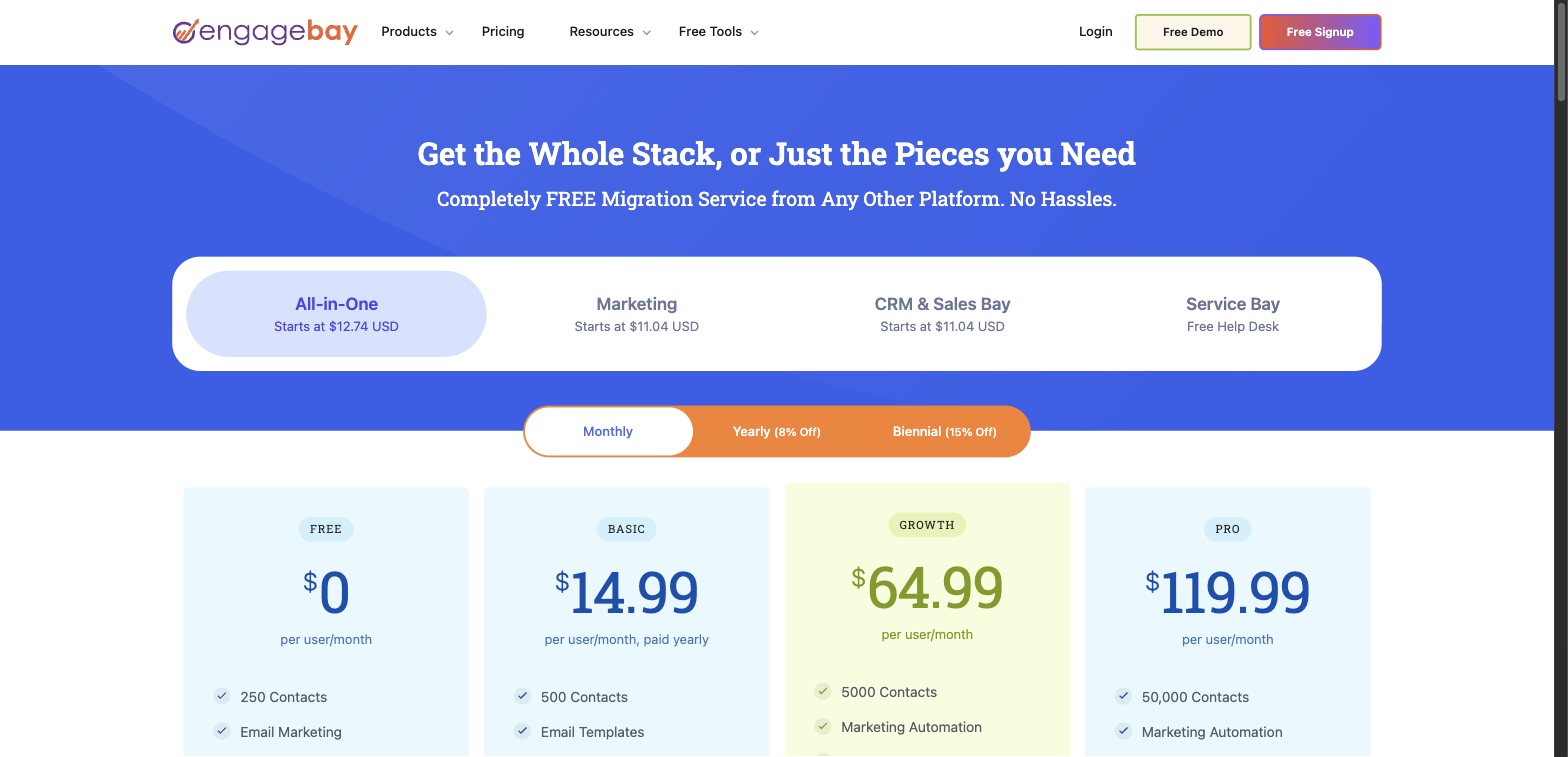
All prices above were checked directly against each vendor’s official pricing page, current as of this writing. Zoho CRM and ActiveCampaign’s paid pricing above reflects USD figures converged across multiple independent third-party sources, since their official pricing pages either returned regional currency or required an interactive calculator rather than displaying static USD figures. HubSpot’s Starter Customer Platform is shown at its standard list price of $20/mo per seat rather than any limited-time promotional rate. Per-user prices billed monthly generally run higher than the annual rate shown for each tool — worth confirming against the exact billing cadence before comparing sticker prices across vendors.
The breakdown, tool by tool
EngageBay
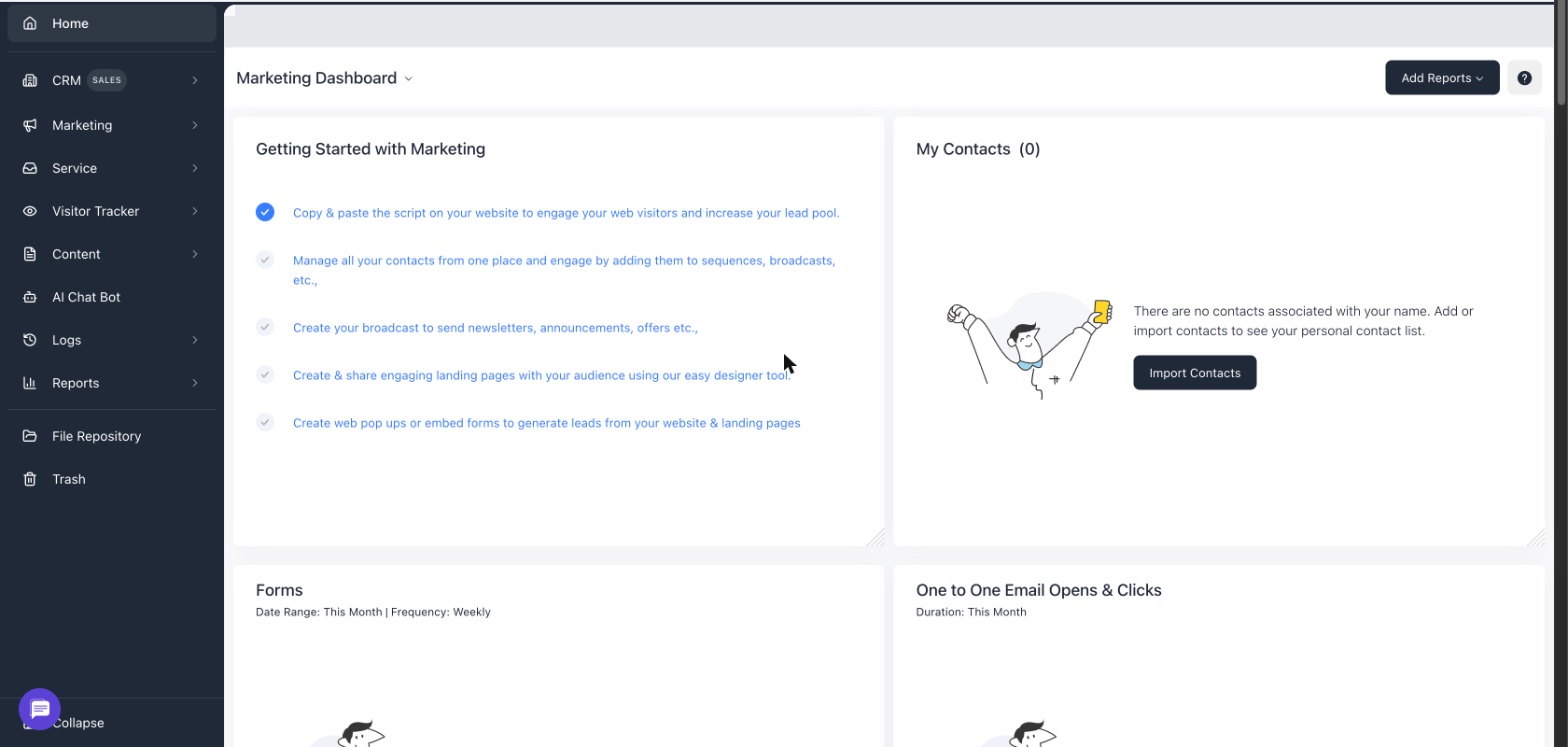
What it’s for: small to mid-sized B2B teams that want marketing, sales, and support genuinely combined in one platform without stitching together separate tools for each function, at a price point noticeably below HubSpot’s paid tiers.
Pros
- CRM, email marketing, live chat, and helpdesk are all included starting on the free plan, not spread across separate paid products
- The free plan supports up to 15 team members, a genuinely usable ceiling for a small team’s whole staff, not just a couple of test seats
- Paid tiers (Basic through Pro) scale contact limits from 500 up to 50,000 with a clear per-user price at each step, making the growth path easy to plan around
Cons
- The free plan’s 250-contact cap is the tightest constraint in this comparison relative to its generous 15-user allowance — a team with an active list will hit it quickly
- Marketing automation, A/B testing, and service automation don’t appear until the Growth tier, a meaningfully larger jump in price from Basic than the feature list alone suggests
- Advanced reporting, SSO, and a dedicated account manager are reserved for the top Pro tier, similar to how competitors gate their own deepest features
HubSpot
What it’s for: teams that want the most widely adopted CRM brand in the category, a genuinely capable free CRM to start on, and a large ecosystem of integrations and agency partners to grow into.
Pros
- The free CRM is a real, permanently usable product — contact and deal management, not a stripped-down demo of the paid tiers
- The broadest third-party integration and app-marketplace ecosystem of any tool in this comparison
- Starter Customer Platform bundles entry-level marketing, sales, and service tools into one $20/mo-per-seat plan rather than requiring three separate Hub subscriptions right away
Cons
- Free tier caps out at 2 users, the lowest seat allowance of any free plan in this comparison
- Going beyond Starter-level features in marketing, sales, and service typically means pricing separate Hub tiers rather than one flat upgrade
- HubSpot branding remains visible on several free-tier tools until upgrading
Zoho CRM
What it’s for: a team that wants a low entry price with a long runway of paid tiers to grow into, and is comfortable navigating a wider Zoho product ecosystem alongside the core CRM.
Pros
- A genuinely permanent free plan for up to 3 users with no credit card required, useful for testing real contact data before committing to a paid tier
- Four paid tiers (Standard through Ultimate) give a team a long, gradual upgrade path rather than one large jump from free to a single paid plan
- Standard tier’s $14/user/mo annual entry price is among the lowest paid starting points in this comparison
Cons
- The free tier is limited to core contact management — workflow automation and custom reporting require a paid tier
- Monthly billing runs meaningfully higher than the annual rate at every tier, which needs to be budgeted for if annual commitment isn’t an option yet
- With four tiers and a wide Zoho product ecosystem around the core CRM, figuring out exactly which tier a specific feature requires takes more research than a simpler three-tier competitor
Freshsales
What it’s for: a team that wants the lowest possible entry price for a genuinely bundled CRM with no contact cap on the free tier, and is willing to grow into deeper automation and reporting on a paid tier later.
Pros
- Growth tier’s $9/user/mo annual price is the lowest paid entry point in this entire comparison
- The free tier has no contact limit, unlike most competitors here that cap free-tier contacts even with a generous user allowance
- Kanban-style deal views and basic pipeline tracking are included from the free tier up, not gated behind a paid plan
Cons
- Free tier excludes custom reports entirely, which limits how much a team can evaluate about its own sales performance before upgrading
- Lead scoring, workflow automation, and territory management don’t appear until the Pro tier ($39/user/mo annually), a large step up from Growth
- Freshsales’ official pricing page doesn’t publish monthly-billed rates directly, so confirming the exact monthly price at signup is worth doing before assuming it mirrors the annual rate divided by twelve
Keap
What it’s for: an established small business that wants CRM, marketing automation, and payment processing in a single contract, isn’t shopping primarily on entry price, and would rather avoid navigating feature-gated tiers altogether.
Pros
- One plan with the full feature set, rather than a ladder of tiers that each unlock a different slice of the product
- Two users are included in the base price, with clearly published per-additional-user pricing ($39/mo) beyond that
- Built-in payment processing alongside CRM and automation, closing a loop the other tools in this comparison generally leave to a separate integration
Cons
- At $299/mo, Keap’s entry price is well above every other tool in this comparison — this is not the option for a team shopping primarily on price
- No permanent free plan, only a trial, so there’s no low-commitment way to keep using a stripped-down version long-term
- Contact-volume pricing is set individually at signup rather than published in fixed tiers, so getting an exact quote requires going through the signup flow itself
ActiveCampaign
What it’s for: a team whose primary need is deep email marketing automation and segmentation, where CRM and sales-pipeline tracking are secondary, optional additions rather than a core requirement from day one.
Pros
- Automation and segmentation depth are strong even on the entry Starter tier, for a team whose main need really is email marketing
- A large integration library connects to most common ecommerce, CRM, and support tools already in use
- 14-day free trial with no credit card required makes it low-risk to test the automation builder directly
Cons
- CRM and pipeline tracking (Pipelines) are sold as add-ons on every tier rather than bundled into the base price — the one tool in this comparison where that’s true
- The entry Starter plan doesn’t include CRM functionality at all, which matters if sales-pipeline tracking is a same-day requirement, not a later add-on
- No permanent free plan, only a time-limited trial, unlike EngageBay, HubSpot, Zoho CRM, and Freshsales
Which one fits your situation
You’re a small team (up to 15 people) that wants marketing, sales, and support genuinely combined without separate subscriptions for each: EngageBay’s free plan is a reasonable starting point if the contact list is still under 250, with a clear per-user upgrade path once it grows.
You want the most widely recognized CRM brand and the broadest integration ecosystem, and 2 free users covers the team for now: HubSpot’s free CRM, with the Starter Customer Platform as the next step once marketing or service tools are needed alongside it.
Price is the deciding factor and the free tier’s contact cap matters more than its user cap: Freshsales, whose free tier has no contact limit at all, or Zoho CRM if a longer runway of paid tiers to grow into matters more than the absolute lowest entry price.
You’re an established small business that wants one flat-priced contract covering CRM, automation, and payments, and would rather not manage feature-gated tiers: Keap, understanding upfront that its entry price sits well above the rest of this comparison.
Email marketing and automation depth is the actual priority, and CRM is a nice-to-have rather than a day-one requirement: ActiveCampaign, with the understanding that Pipelines (its CRM layer) is a separate purchase, not something bundled into the base plan the way it is with EngageBay, Zoho CRM, or Freshsales.
Where to start
The fastest way to tell these apart isn’t reading a feature list — it’s importing one real segment of an actual contact list (not a handful of test entries) into whichever free plan fits the team’s shape, then walking one contact through the full loop: an inbound lead, a sales conversation, and a support question, all on the same record. That single test surfaces whether a tool’s “all-in-one” claim holds up in practice, or whether marketing, sales, and support quietly stay three separate silos with a shared login screen.
For a small B2B team specifically weighing EngageBay against HubSpot’s free CRM, the practical tiebreaker is usually which ceiling gets hit first: team size or contact count. A team of ten with a modest list fits EngageBay’s 15-user free plan comfortably. A two-person team building toward a large list will bump into EngageBay’s 250-contact cap before HubSpot’s 1,000-contact one. Either way, both are free to start — the honest move is testing with real data before deciding, rather than picking based on brand recognition alone.
Start free with EngageBay’s own free plan to see whether having CRM, email marketing, live chat, and helpdesk on one contact record actually removes the coordination gap a spreadsheet-and-separate-inbox setup leaves behind — no credit card required, and the free tier is generous enough on team size to bring the whole small team in from day one rather than testing solo.